Give Obsolete iPads a Second Life in Your Car
Transform forgotten iPad Mini 1, iPad 2/3/4 tablets into dedicated, high-performance in-car GPS dashboards. 100% native Objective-C with MapKit GPU acceleration, OSRM turn-by-turn guidance, and zero modern web bloat.
📸 Real iPad Mini 1 Screenshots (iOS 9.3.5)
60 FPS • Apple A5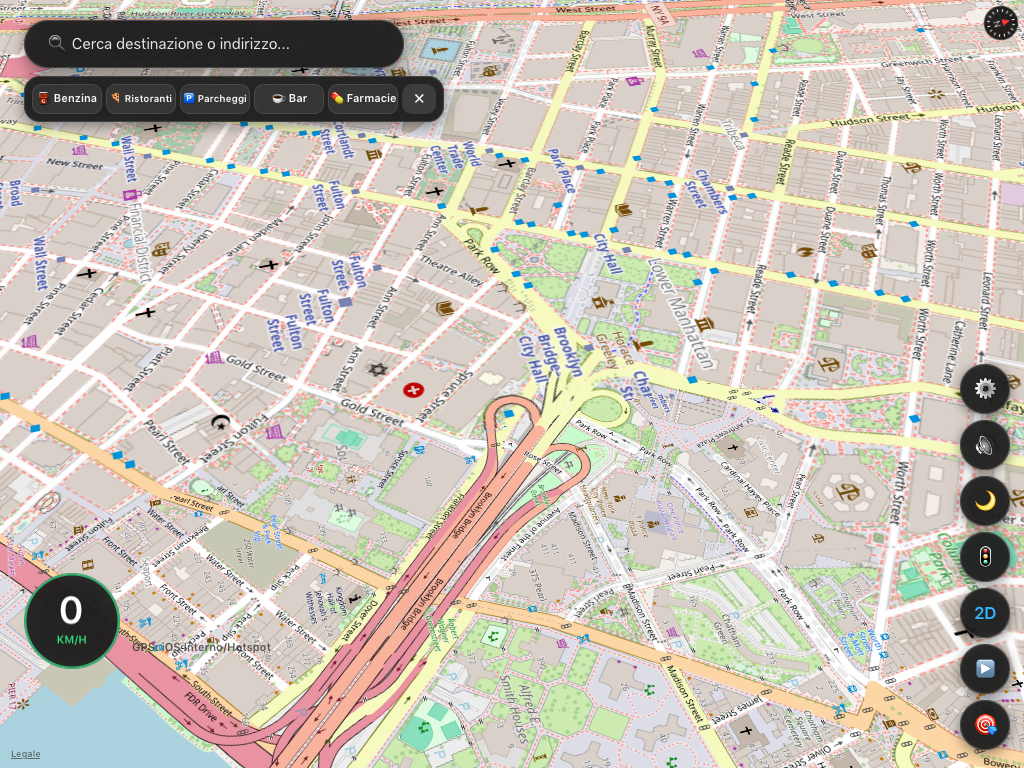
🏎️ Waze-Style 3D Cockpit, Speedometer & Quick POI Shelf
Real-time turn-by-turn navigation, digital GPS speedometer, and 1-tap POI shelf (Petrol, Parking, Coffee, Restaurants).
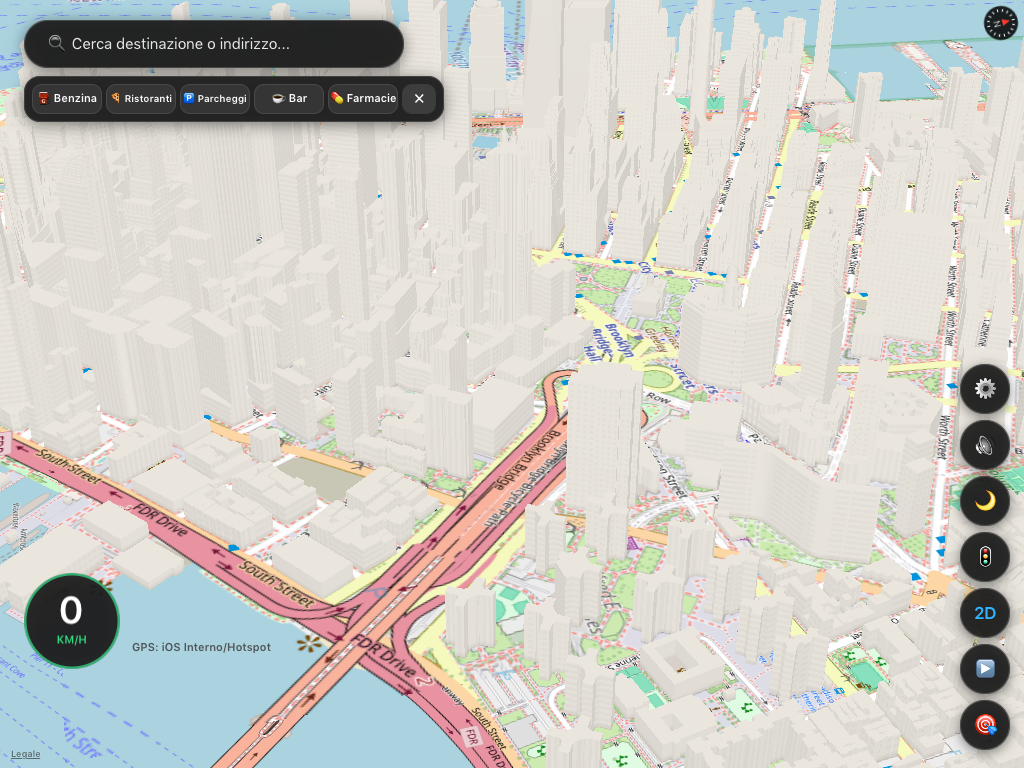
🏙️ 3D Extruded Buildings & Flyover Architecture
Hardware-accelerated MapKit OpenGL ES engine rendering full city architecture smoothly on Apple A5 silicon under 25 MB RAM.
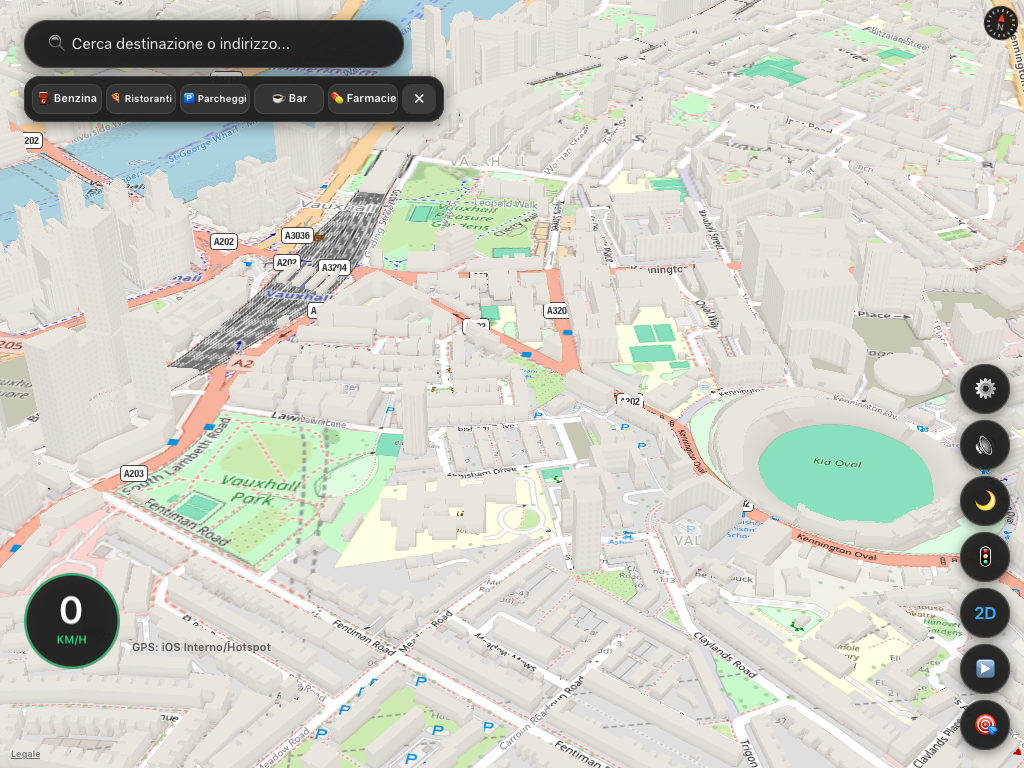
🇬🇧 High-Density City Navigation & Landmarks
Turn maneuver HUD with live distance countdown, dynamic speed limits, and clear road corridors across complex urban centers.
Native 60 FPS & <25 MB RAM
Pure Objective-C and MapKit bypass WebKit entirely. No crashes, no memory leaks, and buttery-smooth 3D perspective camera panning on Apple A5 silicon.
Tri-Mode Map Cartography
Cycle between Standard OpenStreetMap, Esri Dark Canvas for glare-free night driving, and Apple Hybrid Satellite with zero API key quotas.
Smart Audio Guidance & Ducking
Discrete checkpoint announcements (1km, 500m, 200m, Imminent) that automatically duck background car music without repetitive chatter.
Speedometer & Dynamic Limits
Real-time GPS velocity gauge with automated OpenStreetMap maxspeed limits and high-visibility flashing alerts when exceeding speed.
Auto Off-Route Recalculation
Intelligent 45-meter perpendicular corridor tracking detects deviations instantly and provisions updated routes hands-free.
Dual iPhone & Android GPS Tethering
Works seamlessly with Wi-Fi only iPads: iPhone CoreLocation forwarding or Android UDP 8888 socket streaming via companion app.
📲 Official Cydia OTA Repository
Add this repository URL to Cydia on your jailbroken iPad to install and receive over-the-air updates directly over Wi-Fi:
📖 4-Step Quick Setup Guide
Install Modern SSL Root Certificate
Open Safari on your iPad and tap isrgrootx1.crt to install the Let's Encrypt CA profile. This fixes HTTPS connections for Cydia and GitHub Pages on iOS 9.
Jailbreak & Install AppSync Unified
Run kok3shi9 or Phoenix on iOS 9.3.5. In Cydia, add https://cydia.akemi.ai/ and install AppSync Unified to permanently enable unsigned packages.
Add Source & Install NavigatoreOSM
In Cydia, tap Sources > Edit > Add, enter https://vibe-maribit.github.io/NavigatorOSM/, and install NavigatorOSM.
Mount in Vehicle & Tether GPS
Mount your iPad Mini horizontally, plug into a 12V 2.1A charger, and turn on your phone's Wi-Fi hotspot (iPhone passes GPS automatically; for Android run our companion GPSTether.apk).
📦 Ready-to-Use Binary Packages
